Why Your Business Gets Website Visitors but No Enquiries
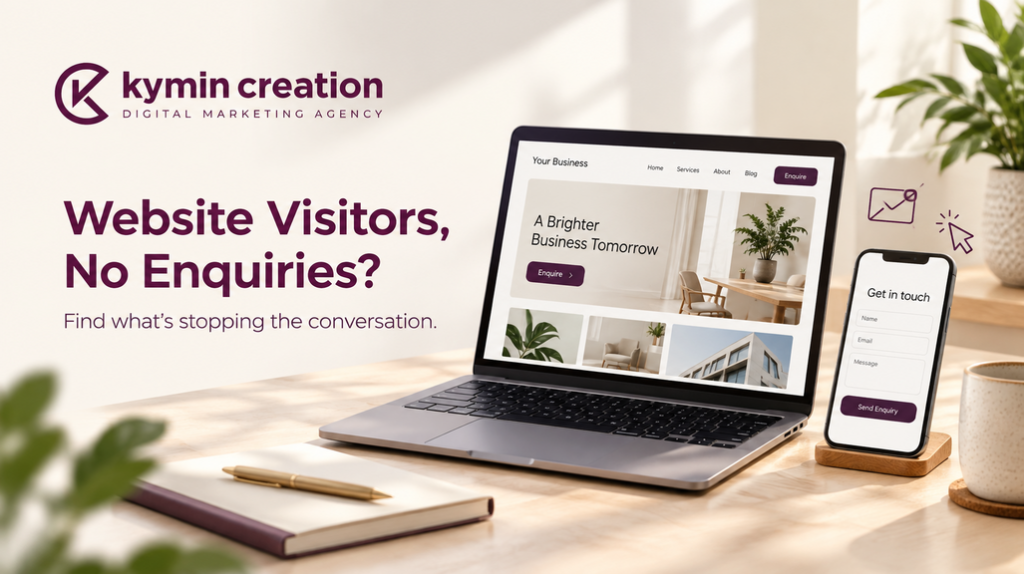
Your business may get website visitors but no enquiries because people cannot quickly understand your offer, find the information they need or contact you easily. Sometimes, the traffic itself is unsuitable. A website development company in Ahmedabad can help investigate these issues and improve the journey from someone’s first visit to a call, form submission or WhatsApp enquiry.
Imagine a potential customer opening your website after seeing an Instagram ad. They like your product, but the page takes time to load. The description is vague, and the contact button sits somewhere near the bottom.
They leave.
You paid for the visit, but the website made the next step difficult. Before increasing your advertising budget or rebuilding every page, it helps to understand where that journey breaks down.
1. Your Website Attracts Visitors Who Are Not Ready to Buy
A visit does not always represent a potential customer. Some people are researching, comparing options or looking for information unrelated to your services.
For example, an interior design business might attract readers through a blog about bedroom colour combinations. Those visitors may enjoy the advice without needing a designer.
That content can still be useful. However, expecting every reader to request a quotation would create a misleading picture of website performance.
Check whether your traffic matches your offer
Look at the pages people visit and the messages that brought them there.
- Are your ads reaching the locations you actually serve?
- Do search queries relate to your services or only general information?
- Does the landing page deliver what the advertisement promises?
- Are visitors looking for the type of project, product or budget you handle?
- Does an informational article provide a relevant route to your service pages?
If you serve Ahmedabad businesses, your content should help those businesses recognise that your service is relevant to them. Clear location information, service details and appropriate examples can support that connection.
2. Your Homepage Makes People Guess What You Do
A beautiful website can still be confusing. “Creating extraordinary experiences” might sound impressive, but it does not explain whether you sell furniture, organise events or develop software.
Visitors should quickly understand what you offer, who it is for and how to take the next step. Consider a hypothetical furniture business.
A vague headline might say: “Redefining spaces with excellence.”
A clearer version would be: “Custom Office Furniture for Ahmedabad Businesses.”
The second headline gives someone a reason to keep reading.
Make your first screen more useful
The opening section of your homepage should include:
- A clear description of your main service or product.
- A practical benefit that matters to your customer.
- Your service area, where location affects the decision.
- A relevant image of your work or offering.
- One obvious action, such as “Discuss Your Project.”
Your headline does not need to explain everything. It needs to help the right person recognise that they have reached the right place.
3. Visitors Cannot Find Answers to Their Buying Questions
Businesses often write website content around what they want to say. Customers read it to find out what they need to know. That difference matters.
A customer considering website redesign services in Ahmedabad may want to understand the process, what the project includes, whether existing content can be retained and how ongoing maintenance works.
If the page only says “We build creative websites,” it leaves too many questions unanswered.
Add information that helps someone make a decision
Depending on your business, useful details may include:
- What is included in the service.
- Who the service is suitable for.
- How the enquiry and project process works.
- What information you need before preparing a quotation.
- Examples of completed work.
- Delivery, installation or after-sales arrangements.
- Common questions about scope and pricing.
You do not have to publish a fixed price for every customised service. You can explain what affects the cost and what customers should share to receive a meaningful estimate.
At Kymin Creation, website content and design can be considered together so that the page explains the offer as clearly as it presents it.
4. The Mobile Experience Creates Unnecessary Work
Someone visiting from a social media post may be using their phone while travelling, taking a break or comparing businesses. They are unlikely to patiently work around a difficult layout.
A desktop design can look polished while its mobile version has overlapping text, awkward menus or buttons that are hard to tap.
Review the website as a mobile customer
Open your important pages on a phone and check:
- Can you read the text without zooming?
- Does the menu open and close properly?
- Are buttons clearly labelled and easy to tap?
- Do images fit within the screen?
- Can visitors reach your contact details quickly?
- Does the form work comfortably with the phone keyboard?
- Do pop-ups obstruct the main content?
Try completing the entire enquiry process yourself. Small frustrations become easier to spot when you experience them directly.
5. Slow Pages Interrupt the Customer Journey
Large images, unnecessary scripts and heavy page elements can make a website feel unresponsive. The problem is particularly noticeable when someone opens a product gallery or service page using a slower connection.
Speed improvements should focus on the pages that customers actually need, rather than chasing a score without considering usability.
Start with practical performance checks
Areas worth reviewing include:
- Oversized image files.
- Videos that load immediately without a clear purpose.
- Unnecessary plugins or third-party scripts.
- Hosting performance.
- Repeated redirects.
- Layout elements that move while the page loads.
After making changes, check that galleries, forms and navigation still work correctly. A lighter page should also remain useful.
6. Your Website Does Not Give People Enough Reason to Trust You
An unfamiliar business needs to earn confidence. Visitors may like your offer but still wonder whether the business is real, whether the work shown belongs to you and what happens after they submit an enquiry.
Generic promises rarely answer those concerns.
Show specific, verifiable evidence
Relevant trust signals can include:
- Genuine customer reviews used with permission.
- Original photographs of your team, premises or work.
- Portfolio examples with a short explanation of the project.
- Clear business contact details.
- Accurate information about your process.
- Relevant policies and terms.
- Case studies with results you can substantiate.
A useful portfolio does more than display attractive images. It tells the visitor what you worked on and why it is relevant to their needs.
Avoid adding badges, achievements or results that you cannot verify. Specific, honest information is more convincing than exaggerated claims.
7. Your Calls to Action Are Too Vague
“Submit” tells someone what to do with a form. It says little about why they should complete it. Likewise, a page can explain a service thoroughly and then leave visitors without an obvious next step.
A call to action should fit the customer’s stage of interest.
Choose an action that suits the page
Examples include:
- Service page: “Discuss Your Requirements.”
- Product page: “Ask About Availability.”
- Portfolio page: “Plan a Similar Project.”
- Consultation page: “Request a Consultation.”
- Location page: “Get Directions.”
Use these actions where they make sense: after explaining the offer, near relevant work examples and at the end of the page. Keep the experience focused. Too many competing buttons can make a simple decision harder.
8. Your Enquiry Form Asks for Too Much Too Soon
A visitor interested in your service may be willing to share their name, phone number and a short description of their requirement. They may not be ready to provide a complete project brief, company history and detailed budget breakdown.
Long forms can be appropriate when qualification is necessary. The question is whether every field is needed at that stage.
Make the first conversation easier to start
Review your form and consider:
- Removing fields you can ask about during a follow-up.
- Clearly marking required and optional information.
- Using labels that remain visible while someone types.
- Providing understandable error messages.
- Showing a confirmation after submission.
- Offering a suitable alternative contact method.
Test where submissions arrive, too. A working form is only useful if someone receives and responds to the enquiry.
9. Your Ads and Landing Pages Tell Different Stories
Suppose an advertisement promotes restaurant social media marketing, but its link opens a homepage covering ten different services. The visitor now has to search for the offer they clicked.
A relevant landing page reduces that effort.
Keep the message consistent from click to enquiry
Check that the page reflects:
- The service mentioned in the ad.
- The audience the campaign targets.
- The promised information or offer.
- Supporting examples relevant to that audience.
- A clear next step.
Kymin Creation can connect landing-page content with the wider campaign message, helping visitors follow a more consistent path from advertisement to enquiry.
10. You May Be Missing Enquiries in Your Measurement
Before concluding that your website generates no leads, check how you measure them. A form submission, phone call and WhatsApp conversation may happen through different routes. Some actions may be untracked, while others may be recorded incorrectly.
Also, a click on a contact button does not necessarily mean a conversation took place.
Separate interest from completed enquiries
Useful checks include:
- Confirming that form submissions reach the correct inbox.
- Testing phone and WhatsApp links.
- Reviewing how enquiry actions are recorded.
- Comparing recorded actions with enquiries your team received.
- Separating genuine leads from spam or test submissions.
- Checking whether follow-up happens promptly.
This gives you a clearer view of both website performance and the response process that follows it.
What Should You Fix First?
You do not always need a full redesign. Start with problems that directly stop customers from understanding, trusting or contacting your business.
A practical order for improvements
- Test every contact route and repair broken functionality.
- Clarify the headline and offer on important landing pages.
- Improve mobile navigation and form usability.
- Answer common buying questions.
- Add relevant, genuine proof of your work.
- Review page performance and traffic relevance.
- Measure the effect before deciding on broader changes.
When choosing a website development company in Ahmedabad, ask how it will identify the problem before proposing the solution. A useful website review should explain which changes matter and how their effect can be assessed.
Frequently Asked Questions
Why does my website get traffic but no leads?
Common reasons include unsuitable traffic, unclear messaging, missing information, weak trust signals and difficult contact options. Begin by checking the pages people visit and testing the enquiry process.
Can a website redesign help generate more enquiries?
It can help when the current design creates usability or communication problems. Results also depend on traffic quality, the offer and how your team handles enquiries.
Should I increase advertising spending first?
First check whether existing visitors can understand your service and contact you easily. Sending more people to a confusing or broken page may simply increase wasted spending.
Is a WhatsApp button enough?
It provides a convenient contact option, but visitors still need a reason to use it. Clear service information, credible work examples and working contact links all support that decision.
Do I need a separate landing page for every campaign?
A dedicated page is useful when a campaign has a specific service, audience or offer that your existing pages do not explain well. The page should match the visitor’s reason for clicking.
How can I tell whether changes are working?
Compare relevant enquiry activity before and after the changes, alongside traffic sources and lead quality. Avoid judging success only by visitor numbers or button clicks.
Give Your Visitors a Clear Next Step
Your website should help a potential customer understand your offer, find answers and start a conversation without unnecessary effort.
If your business gets website visitors but no enquiries, begin with that journey. Look at the website through a customer’s eyes, fix the obvious obstacles and measure what changes.
Kymin Creation can help you review your website’s content, design and enquiry flow. Explore our website development services and share your website and business requirements to discuss where improvements could make the greatest difference.