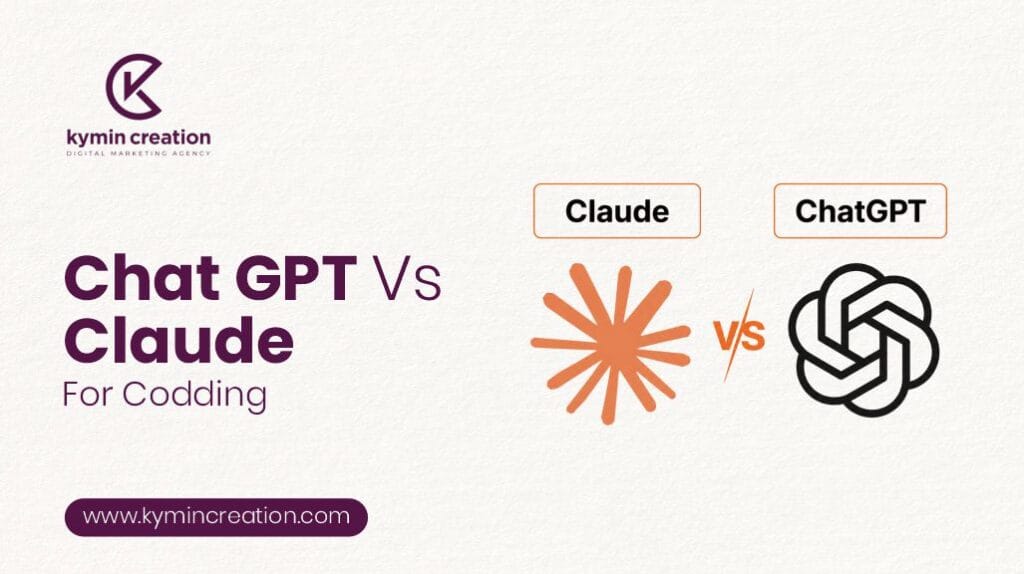
ChatGPT vs Claude for Coding: Which AI Coding Assistant Is Better in 2026?
Artificial intelligence has transformed the way developers write, debug, and optimize code. Instead of spending hours searching documentation or fixing repetitive bugs, programmers now rely on AI coding assistants to improve productivity. Among the leading AI models, ChatGPT and Claude have emerged as the top choices for developers worldwide.
But when it comes to ChatGPT vs Claude for coding, which one delivers better results? The answer depends on your programming needs, project complexity, preferred workflow, and the type of development you perform.
In this detailed comparison, we’ll examine the strengths, weaknesses, features, and ideal use cases of both AI models to help you choose the right coding assistant.
Why AI Coding Assistants Matter
Modern software development involves much more than writing code. Developers also need to:
- Debug applications
- Generate documentation
- Understand unfamiliar codebases
- Optimize performance
- Write unit tests
- Learn new programming languages
- Refactor legacy applications
- Review pull requests
AI assistants significantly reduce development time by automating many of these tasks.
What is ChatGPT?
ChatGPT is OpenAI’s conversational AI model designed to assist with coding, writing, research, debugging, automation, and much more.
It supports dozens of programming languages including:
- Python
- JavaScript
- TypeScript
- Java
- C++
- C#
- PHP
- Go
- Rust
- SQL
- Swift
- Kotlin
ChatGPT excels at understanding coding problems and generating production-ready solutions while explaining the reasoning behind them.
What is Claude?
Claude is an AI assistant developed by Anthropic. It has gained popularity because of its strong reasoning abilities and impressive handling of long documents and large codebases.
Claude performs particularly well when developers need to:
- Analyze large repositories
- Review documentation
- Understand architecture
- Explain complex code
- Refactor existing projects
Its large context window makes it especially useful for enterprise software development.
ChatGPT vs Claude for Coding: Feature Comparison
1. Code Generation
Both models generate high-quality code, but their styles differ.
ChatGPT
- Produces production-ready code quickly
- Supports almost every major programming language
- Excellent for APIs and automation
- Generates frontend and backend code efficiently
- Creates optimized algorithms
Claude
- Writes clean and readable code
- Often includes detailed explanations
- Better for structured enterprise applications
- Focuses heavily on maintainability
Winner: ChatGPT
2. Debugging Capabilities
Debugging is where AI becomes extremely valuable.
ChatGPT
- Finds syntax errors quickly
- Explains runtime issues
- Suggests optimized fixes
- Recommends better coding practices
Claude
- Performs deeper logical analysis
- Identifies architectural problems
- Provides detailed debugging explanations
- Handles complex multi-file debugging effectively
Winner: Claude
3. Large Codebase Understanding
Many developers work on projects containing thousands of files.
ChatGPT
- Handles moderately large projects efficiently
- Excellent for component-level development
- Suitable for everyday software engineering
Claude
- Exceptional at understanding large repositories
- Maintains context across lengthy conversations
- Explains relationships between files
- Ideal for enterprise applications
Winner: Claude
4. Programming Language Support
Both models support numerous programming languages.
ChatGPT excels with:
- Python
- JavaScript
- TypeScript
- React
- Node.js
- SQL
- HTML
- CSS
- PHP
- Java
- C++
Claude performs strongly with:
- Python
- Java
- Rust
- Go
- TypeScript
- Shell scripting
Winner: ChatGPT
Accuracy Comparison
When comparing ChatGPT vs Claude for coding, accuracy depends on the task.
ChatGPT performs better for:
- Algorithm development
- Competitive programming
- API integration
- Web development
- Automation scripts
- Data analysis
Claude performs better for:
- Code reviews
- Refactoring
- Architecture analysis
- Documentation
- Reading existing software
Speed and Productivity
For everyday programming, response speed matters.
ChatGPT
- Fast responses
- Quick code generation
- Excellent interactive conversations
- Efficient iterative improvements
Claude
- Slightly slower on very large prompts
- More thoughtful reasoning
- Better long-form analysis
If productivity is your priority, ChatGPT often feels faster during active coding sessions.
Code Explanation
Understanding unfamiliar code is essential for developers.
ChatGPT
- Explains concepts simply
- Uses beginner-friendly language
- Breaks code into manageable sections
Claude
- Provides deeper technical explanations
- Better architectural discussions
- Excellent for senior developers
Frontend Development
For frontend technologies:
- React
- Next.js
- Vue
- Angular
- HTML
- CSS
- Tailwind CSS
ChatGPT generally produces more complete UI components and modern frontend solutions.
Advantages
- Responsive layouts
- Better React patterns
- Component generation
- API integration
- CSS improvements
Winner: ChatGPT
Backend Development
Both tools perform well for backend development.
ChatGPT
- REST APIs
- Express.js
- Django
- Flask
- FastAPI
- Laravel
- Spring Boot
Claude
- Better backend architecture suggestions
- Cleaner service organization
- Improved documentation
Result: Both are excellent depending on project size.
Learning Programming
Students often ask which AI is better for learning.
ChatGPT offers
- Step-by-step tutorials
- Interactive explanations
- Coding exercises
- Beginner-friendly responses
- Interview preparation
Claude offers
- Detailed conceptual explanations
- Strong reasoning
- Better documentation analysis
For beginners, ChatGPT generally provides a smoother learning experience.
Documentation Writing
Documentation is another important developer task.
Claude has a noticeable advantage when creating:
- Technical documentation
- API documentation
- System architecture
- Design documents
- Project summaries
Its writing style tends to be more structured and comprehensive.
Code Refactoring
Both assistants help modernize old code.
ChatGPT
- Simplifies functions
- Improves readability
- Removes redundancy
- Updates syntax
Claude
- Refactors across multiple files
- Preserves architecture
- Identifies hidden dependencies
- Suggests cleaner project organization
Claude performs better for large-scale refactoring.
Best Use Cases for ChatGPT
Choose ChatGPT if you need:
- Quick code generation
- Web development assistance
- API development
- SQL query writing
- JavaScript support
- Python automation
- Competitive programming
- Coding interview preparation
- Bug fixing
- Learning programming
Best Use Cases for Claude
Choose Claude if your work involves:
- Large enterprise applications
- Multi-file projects
- Code reviews
- Documentation
- Architecture planning
- Refactoring legacy systems
- Understanding complex repositories
- Long technical discussions
Pros and Cons
ChatGPT
Pros
- Fast responses
- Excellent coding accuracy
- Supports many languages
- Great for beginners
- Strong web development capabilities
- Interactive explanations
- Better overall versatility
Cons
- Can occasionally lose context in very long sessions
- May require prompt refinement for complex enterprise architectures
Claude
Pros
- Outstanding reasoning
- Excellent large context handling
- Strong documentation support
- Better architecture analysis
- High-quality code explanations
Cons
- Slightly slower for iterative coding
- Sometimes provides longer responses than necessary
- Less optimized for rapid prototyping

Which AI Should Developers Choose?
The decision depends on your workflow.
Choose ChatGPT if you:
- Build websites
- Develop mobile apps
- Create APIs
- Need fast coding assistance
- Learn programming
- Want quick debugging
- Prefer interactive conversations
Choose Claude if you:
- Maintain enterprise software
- Analyze large repositories
- Write technical documentation
- Refactor complex applications
- Need deep architectural insights
Many professional developers even use both tools together—ChatGPT for rapid development and Claude for reviewing, documenting, and refining large projects.
Final Verdict: ChatGPT vs Claude for Coding
When comparing ChatGPT vs Claude for coding, there is no universal winner because each AI excels in different areas.
If your priority is speed, versatility, web development, and everyday programming tasks, ChatGPT is the stronger choice. It generates high-quality code quickly, supports a wide range of programming languages, and is particularly effective for debugging, learning, and rapid application development.
On the other hand, if you’re working with large codebases, enterprise applications, or extensive documentation, Claude stands out with its exceptional reasoning, long-context understanding, and code review capabilities.
Ultimately, the best AI coding assistant depends on your development style and project requirements. For many software engineers, combining the strengths of both ChatGPT and Claude provides the most productive workflow, enabling faster coding, better code quality, and more efficient software development.
FAQs
Should I Use ChatGPT to Write My Cover Letter?
Yes. ChatGPT can help create a professional cover letter quickly, but you should personalize it with your skills, achievements, and job-specific details before submitting.
Will hiring managers know I used ChatGPT on my application?
Not necessarily. Hiring managers are more likely to notice generic or impersonal content than AI use. Personalizing your application with your own experiences and achievements makes it more authentic.
How to use ChatGPT for job applications without getting rejected?
Use ChatGPT to create a strong first draft, then personalize it with your own experience, skills, and achievements. Always review and edit the content to ensure it matches the job description and reflects your authentic voice.
How to Use AI to Find Jobs Faster Than Traditional Job Boards
Use AI to discover relevant job opportunities, optimize your resume, generate tailored cover letters, and automate job searches. This helps you apply faster and improve your chances of finding suitable roles.
AI Job Search Tools: Which Ones Actually Land Interviews
AI job search tools can help you find relevant openings, optimize your resume, tailor cover letters, and prepare for interviews. The best results come from using AI to enhance your applications while adding your own skills and experience.
Can AI Really Help Me Get a Job? Here’s What Actually Works
Yes. AI can improve your job search by helping you optimize your resume, write tailored cover letters, prepare for interviews, and find relevant opportunities. Combining AI with your own experience and personalization delivers the best results.